















 Mel
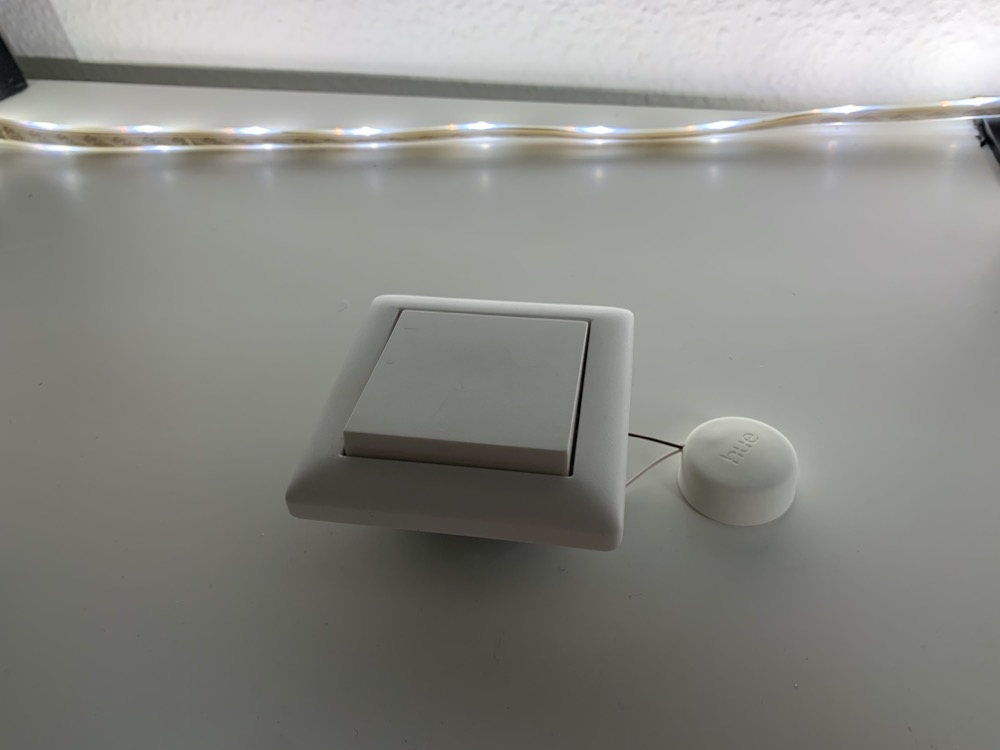
MelI’m always amazed at my blog readers’ creativity. Christoph has now sent me a pretty exciting project, which of course I don’t want to withhold from you. He has installed the Hue Smart Button in a regular push button from Gira.
These materials are needed
- Philips Hue Smart Button
- push buttons, for example from Gira
- single conductor cable
- soldering iron & tools
Christoph explains in the following instructions how the installation of the Smart Button works. On the positive side, the whole modification fits into a flush-mounted box without any problems and the complete Hue compatibility is preserved.
How to convert the Hue Smart Button
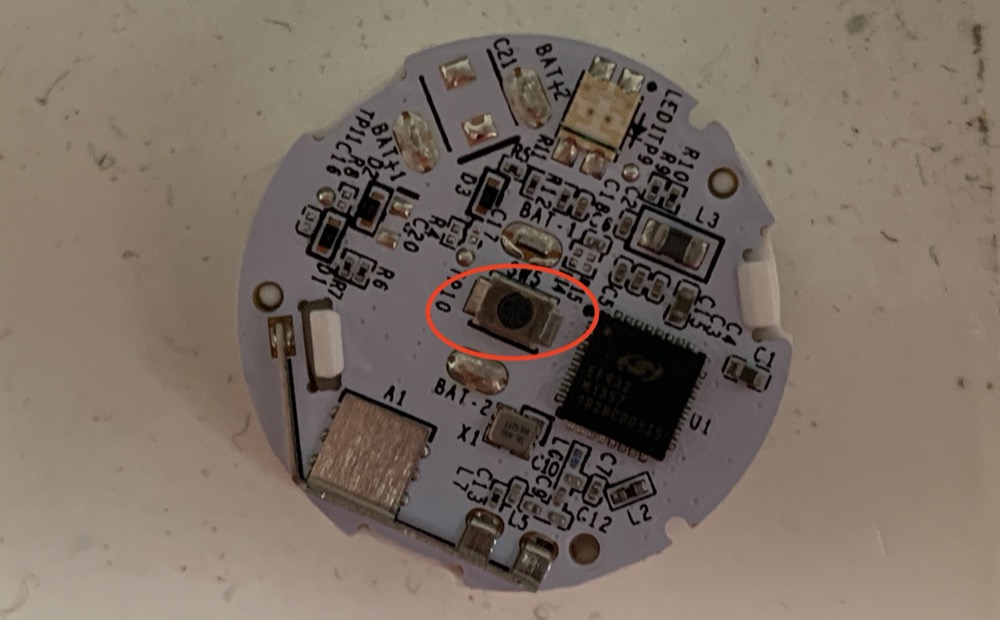
- carefully open the Smart Button, remove the battery and press the inside out from the front
- glue the inner workings onto a double-sided adhesive tape to make the rest of the work easier
- carefully lift off the middle existing button with pointed pliers
- solder the cable to the solder points
- drill a hole in the front of the housing and pull the cables through
- carefully reinsert the inner workings
- connect cable to the button
- insert the battery and close the housing
- set up and test Hue Smart Button
- install everything in the flush box
A perfectly feasible conversion without great risk. You can see the result again in the following video which was also provided by Christoph.


 Fabian