















 Fabian
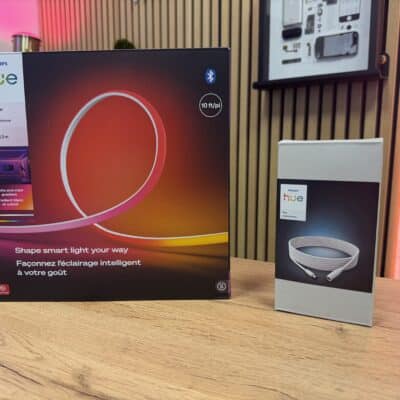
Philips Hue has once again improved its products and integrated a new feature. Light strips and other lights with a gradient function now offer another mode in addition to Linear, Mirrored, and Diffuse. In this blog post, you’ll learn what “Segmented” is all about.
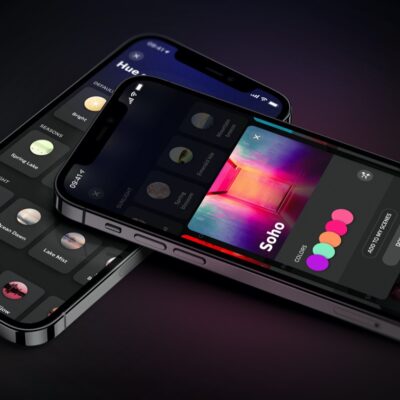
Where exactly can you find the new mode and the different styles? It’s very simple: First, select the desired gradient light in the Hue app and then activate a color in the colorful color wheel. A small button will appear at the bottom right of the brightness control. Tap on it to open a menu showing the available modes.
- Linear: Creates a linear color gradient where you can freely set three light points. The colors in between are generated automatically.
- Mirrored: A linear color gradient in which the effect is mirrored in the middle of the light strip.
- Scattered: Up to five colors of your choice are mixed and distributed across the various lights (such as the Hue Festavia string of lights) or the zones of the light strip.
- Segmented: You can select up to five different colors. Unlike in linear mode, no color gradients are generated between the colors.

If the new mode is not yet visible to you, a software update may be necessary. It is best to activate the automatic update and leave the light strip or light connected to the power supply.
This is what the new Hue effect looks like
I have already tried out the new segmented mode with a Philips Hue Flux light strip, which I installed behind a Kallax shelf. Here you can clearly see the four different colors I selected in the Hue app. The individual segments are clearly separated and, unlike before, no color gradients are generated.
Unfortunately, there are still some things that don’t work: you can’t combine true white tones with colorful colors. Likewise, individual segments of the light strip cannot be switched off or display a different brightness.


Does this work with the old gradient strips like the Hue Play or Hue Ambiance Gradient?
This new Segmented mode sounds like a really exciting update for Philips Hue users. I like how it gives more control by letting us choose up to five distinct colors without blending them together. For people who prefer bold clean color blocks instead of smooth gradients this feature will be perfect. The step by step explanation of how to find and activate the mode in the app is very helpful especially for new users. Your real life example with the Flux light strip behind the shelf makes it easier to imagine how it looks in practice. Hopefully future updates will allow mixing white tones and adjusting brightness per segment. Great and informative post!
I have Hue Play TV 55”, Large Tube as well as Gradient Lightstrip in my TV setup. Flux lightstrips over my bedroom wardrobe and under my bed. None of the effects are present on gradient ones, though all are available in my bedroom Flux ones. Could someone tell me why? I already love my hue lights. It was a huge investment, I changed everything in my apartment from IKEA and Nanoleaf to Hue, been loving it.
Is the software up to date? I also can use the function on older Gradient Lightstrips and Tubes.