















 Fabian
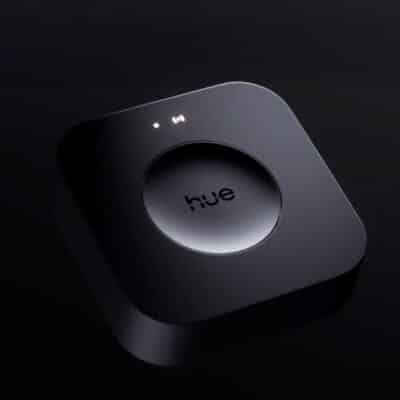
I used my little weekly review on Sunday to draw attention to a small bottleneck that many users are experiencing after migrating their second or third bridge to the new Hue Bridge Pro. The rules, which are button assignments or actions of switches and sensors, quickly reach the unchanged limit of 250 available rules.
On Monday, Hue inventor George Yianni contacted me to explain some details. And this is where it actually gets quite complicated, because we have to go a little further back and somehow take a step back again. But first things first.
Hue app now uses scripts instead of rules
It is true that Philips Hue has not increased the number of available rules and the limit remains at 250. “The ‘rule engine’ is actually an old platform. All automations and accessory functions configured with the Hue app use a new automation platform that can support up to 200 different scripts,” says George Yianni. These are standalone functions that replace several rules from the old system.
And so there is actually more capacity, because these scripts were limited to 45 with the old bridge. “This means that the Hue Bridge Pro can actually support significantly more accessories, automations, and all-day scenes than was possible with the Hue Bridge v2.” Officially, there are now 50 instead of 12 accessory products supported by the Hue Bridge Pro.
But why are many Hue users still complaining about the rule limit?
However, the rules have not completely disappeared; they are still used primarily by third-party apps such as All4Hue or iConnectHue. Why? Because they offer significantly more possibilities than the new scripts from the new API. While the scripts are fixed and, for example, no commands other than dimming can be assigned to the dimming buttons of the dimmer switch, such tricks are still possible with the “old” rules.
An interesting side note about rules and scripts: For new accessory products, such as the Hue Secure contact sensor, Philips Hue only offers the new API with the scripts. No rules are possible there at all – and therefore third-party providers are also limited to the functions that Philips Hue provides with the script.
Long story short: The lack of an increased rule limit can be problematic, especially if you primarily configure your accessories with third-party apps. If, on the other hand, you mainly use the Hue app, the script limit applies to you – and this has been roughly quadrupled compared to the old bridge. If you have already reached a limit, it may be advisable to reconfigure a few switches or sensors via the standard app.
Of course, it would still be nicer if Philips Hue continued to develop the system: more rules and configurable scripts for third-party providers would be two not entirely unimportant things.


I am feeling better about my recent (yesterday) decision to get a second Hue Bridge Pro vs. moving the rest of my old Bridge V2 devices to my one and only Bridge Pro.
I have 65 devices on my Bridge Pro, and 54 devices on my Bridge V2.
My second Bridge Pro is in the mail and before I actually set it up and migrate my Bridge V2 devices to it, are there any downsides to going this route?
BTW, I am using Google Home as my smart home platform, which not supports multiple bridges.
Ok.
But my son uses his Philips TV together with the ceiling lights and with the new one, this is no longer possible
Google Home does support multiple bridges now, you just need to resync the Hue account in the Home app.