
















 Fabian
Last week, the Philips Hue OmniGlow Lightstrip was launched in Europe. It is available in lengths of 3, 5, and 10 meters. The new premium light strip is also already on sale in the US, but so far only in the shortest version. One question has kept cropping up over the last few days: where can the Hue OmniGlow Lightstrip be shortened?
At first glance, unlike previous Philips Hue lightstrips, there are no markings to be found. Where exactly should you put the scissors?
I’ve read some pretty wild stories on social media. Among other things, it was recommended to carefully remove the silicone cover of the light strip until you can see the contacts on the LED strip. Unfortunately, this is complete nonsense and not necessary.
How to find the cut marks on the Hue OmniGlow Lightstrip
The truth is: The Hue OmniGlow Lightstrip can be cut every 12.5 centimeters. The easiest way is to measure the desired length from the end of the light strip and then remove the foil from the adhesive strip at this point. A dark spot will then be visible at exactly every 12.5 centimeters. The light strip can be cut exactly at this mark. Here is a small picture to illustrate this:
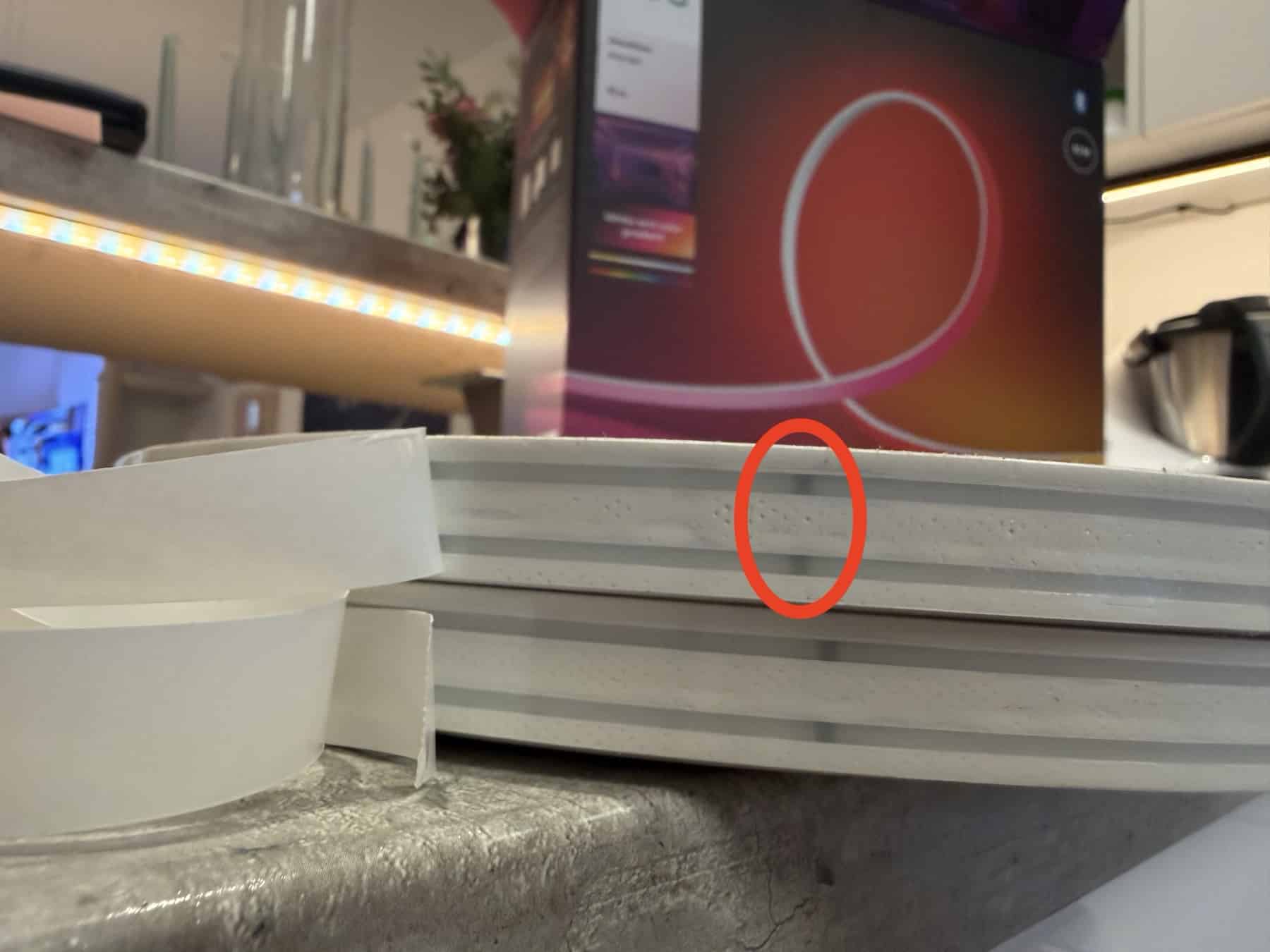
Why does Philips Hue make it so complicated? The Hue Ambiance Gradient Lightstrip, which also has an opaque silicone cover, had small arrows printed on the edge of the light strip. However, if the light strip is not installed in a concealed manner, these dark dots on the light-colored material can look quite unsightly.
Visually, the chosen solution is now much better. However, it would have been nice if the markings hidden under the film on the “underside” of the light strip were either a little more visible or if this had been explained a little better in the instructions.
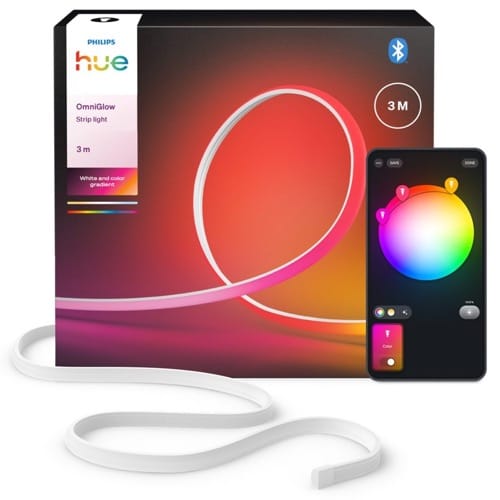
Hue OmniGlow Gradient Lightstrip
from $139.99 / €139.99



Hi there. Is it possible to install Omniglow behind TV or a monitor? I was intially planning to purchase Hue Play lightstrip, but the release of Omniglow made it kind of outdated. Cannot not find any info on that, wonder why no one has tried that. I understand that mount brackets (probably from Hue play) would be necessary to keep it in place though
It makes no sense to install it behind a TV or monitor, because you would need a single Lightstrip for every side of the TV.
Thank you for your reply Fabian. According to the official Hue omniglow commercial video, it can be flexible (the video showcases 90 degree angle under the bar counter, which by the way contradicts with your earlier statements about it being not flexible enough). So the video proved these concers wrong, but now I am concerned over omniglow sync whether it will be translated correctly with all the tv angles.
Maybe you will get it mounted, but that’s not the problem. Hue Sync will only use the OmniGlow for one side of your TV.
The Play Gradient is the only Lightstrip which is optimized for this.
Fabian, could you please clarify why it is so. It doesn’t seem logical since Philips even promote a Hue Sync box bundeles not only with Play but also with regular lightstrips and Hue Ambient, which are both not advertised as optimized for TVs or monitors. Thank you! Also, I have a curved 45 inch 21:9 monitor and a 50 inch TV – meaning there is no “optimized” option for that even in a Hue Play lineup. Any suggestions on that would be more than appreciated.
Because only the Hue Play Gradient Lightstrip is capable of illuminating the left, top, and right sides of the TV appropriately due to its fixed length and required placement.
All other products can only “display” one side of the TV.
in theory, if compare with current TV strip, it’s feasible for Omniglow strip to be a TV strip; but i think it need the software redesign by hue~
Hello, I want to get the Omniglow strip for my ceiling, but I have read that the cord is too short. Do you have any recommendations for extension options?
I will try one of those: https://lightstripsanonymous.com
Any insights when the longer versions will be available in US store?
Just received the 3m version and unfortunately I’m pretty upset and disappointed. The LED strip itself is actually really nice, but I’m wondering how it is possible to be so short-sighted and give this product ONLY a 1,5 m-long power cord and even shorter (12,5 cm, yes that’s correct) non-detachable cable between the strip and the control box. Ominglow strip begs to be the ceiling or wall mounted, and this is a significant limitation. So now I have to spend another 20 euros on a 3rd-party control box cable.
i saw there has a 5m extension cable sold in the philips-hue website
https://www.philips-hue.com/en-gb/p/hue-white-and-colour-ambiance-play-extension-cable/7820430P7
Thats only for Hue Play Lightbar and some other Hue products like Signe Table or Iris, but not for the new lightstrips unfortunately.
Hi Fabian,
Thank you for your efforts with Hue and the public forum, it is very much appreciated by all I’m sure!
My query is: Are you aware if the Hue doorbell can record videos of motion detection in the background, like a ring doorbell. I.e no notifications but Motion videos are recorded in thr back ground. Also, do yoi know if video clips will ever exceed 60 seconds? Quite frustrating that bit!
Can you dim the omniglow sufficiently using the app? Planning to install the Omniglow in sight in the kitchen which is part of the living room. In the evening we want dimmed, warm colours. Thanks!
Interestingly on my 5m strip, it arrived with a gap every 12.5cm on the adhesive backing. Presumably this is so you know where you cut on the strips without removing the adhesive backing first.
My comment above is incorrect! They leave gaps but it’s not where to cut as they are every 20cm or so, not where you should cut. Which is pretty poor design wise!
Has anyone looked at where the cut marks are relative to the components along the lightstrip? I had assumed that the cuts would go through the copper pads distributed along the length; in that way the 24V supply is cleanly terminated without affecting nearby components.
However, I found that the cuts actually went through the the lightstrip to the side of the copper pads and hence went through nearby components which are retained within the used section of the lightstrip and presumably will still have power applied as the cut did not terminate the 24V supply to those components.
On one of my discarded cut lengths I also found that the light strip is not necessarily a continuous length and sections had been soldered together, presenting solder joints instead of copper pads in the vicinity of the cut marks. Clearly, cutting through solder joints is a not going to work without issue. Has anyone else seen similar?
I should point out that I have raised these to Hue Support but they have failed to respond to follow-up questions which piqued my interest.