















 Fabian
At CES in Las Vegas, Philips Hue today announced a new software feature that will be released exclusively for the Hue Bridge Pro in the spring. It’s called SpatialAware and has absolutely nothing to do with the previous MotionAware. In this article, we’ll tell you exactly what it’s all about.
What exactly does SpatialAware do with Philips Hue smart lighting?
Unlike classic scenes from the Hue light scene gallery, SpatialAware takes into account the position of each light point in the room. This allows colors to be intelligently tailored to the conditions on site to ensure the most natural representation possible.
When you use SpatialAware in a room, the scenes should appear even more immersive and lifelike. “In a sunset scene, for example, the lights on one side of the room emit warm yellow tones to mimic the setting sun, while the ceiling lights on the opposite side reflect darker shades,” writes Philips Hue in a press release.
How to set up SpatialAware in the Philips Hue app
SpatialAware will be available exclusively for the Hue Bridge Pro and is scheduled to launch in spring 2026. First, you need to scan the desired rooms with your smartphone camera and use augmented reality to determine the positions of the individual lights. A smart algorithm then ensures that the light points throughout the room are coordinated. Even after setup, new lamps can be added without any problems.
You will then use SpatialAware with about half of the pre-installed light scenes: select a scene, activate the mode, and you’re ready to go. Of course, you still have the option of using the classic scenes.
Two sample images directly from Philips Hue
In its press release, Philips Hue sent images of selected scenes with and without SpatialAware. In the following two images, you can see the scene “lake mist”.
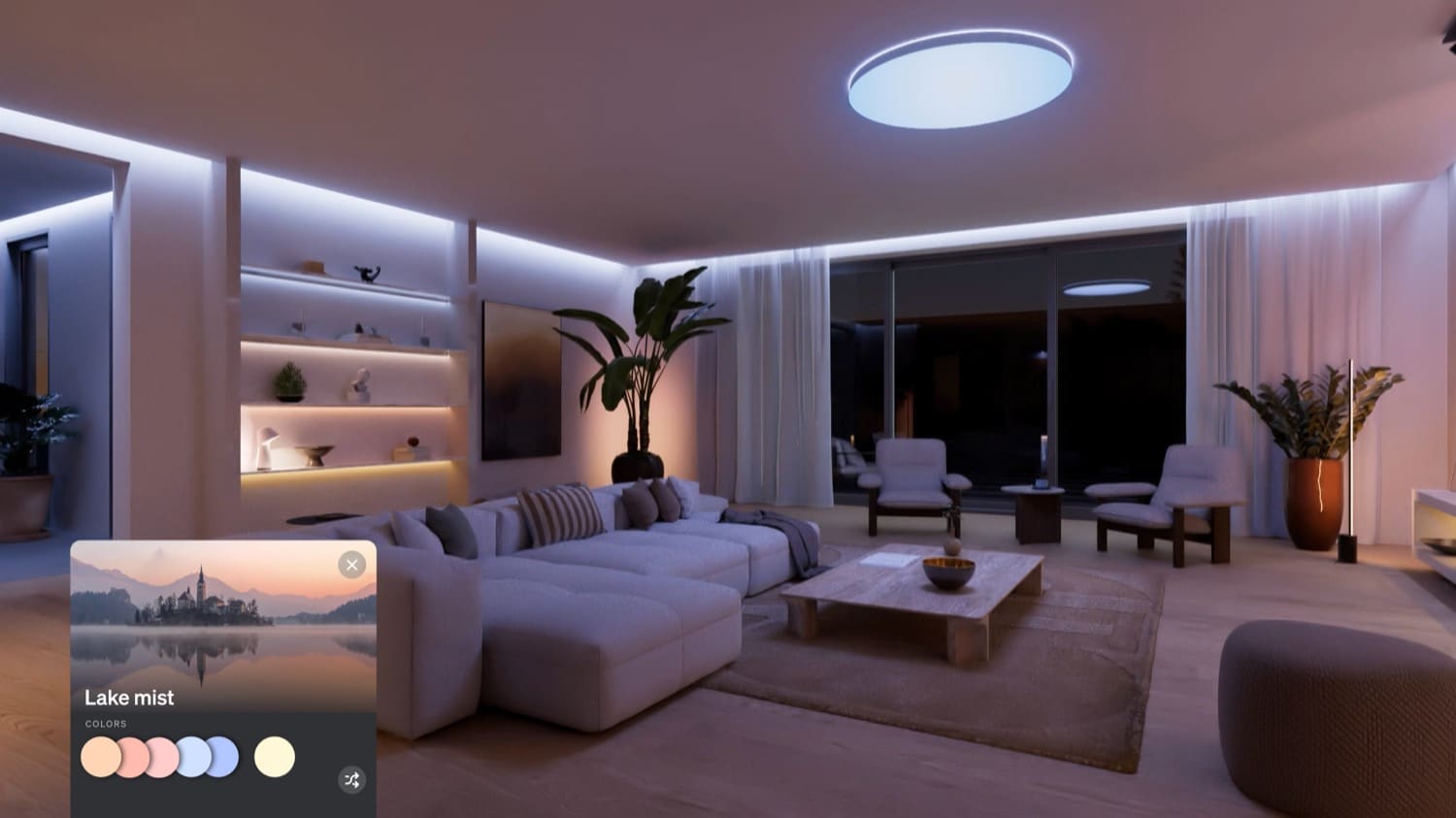
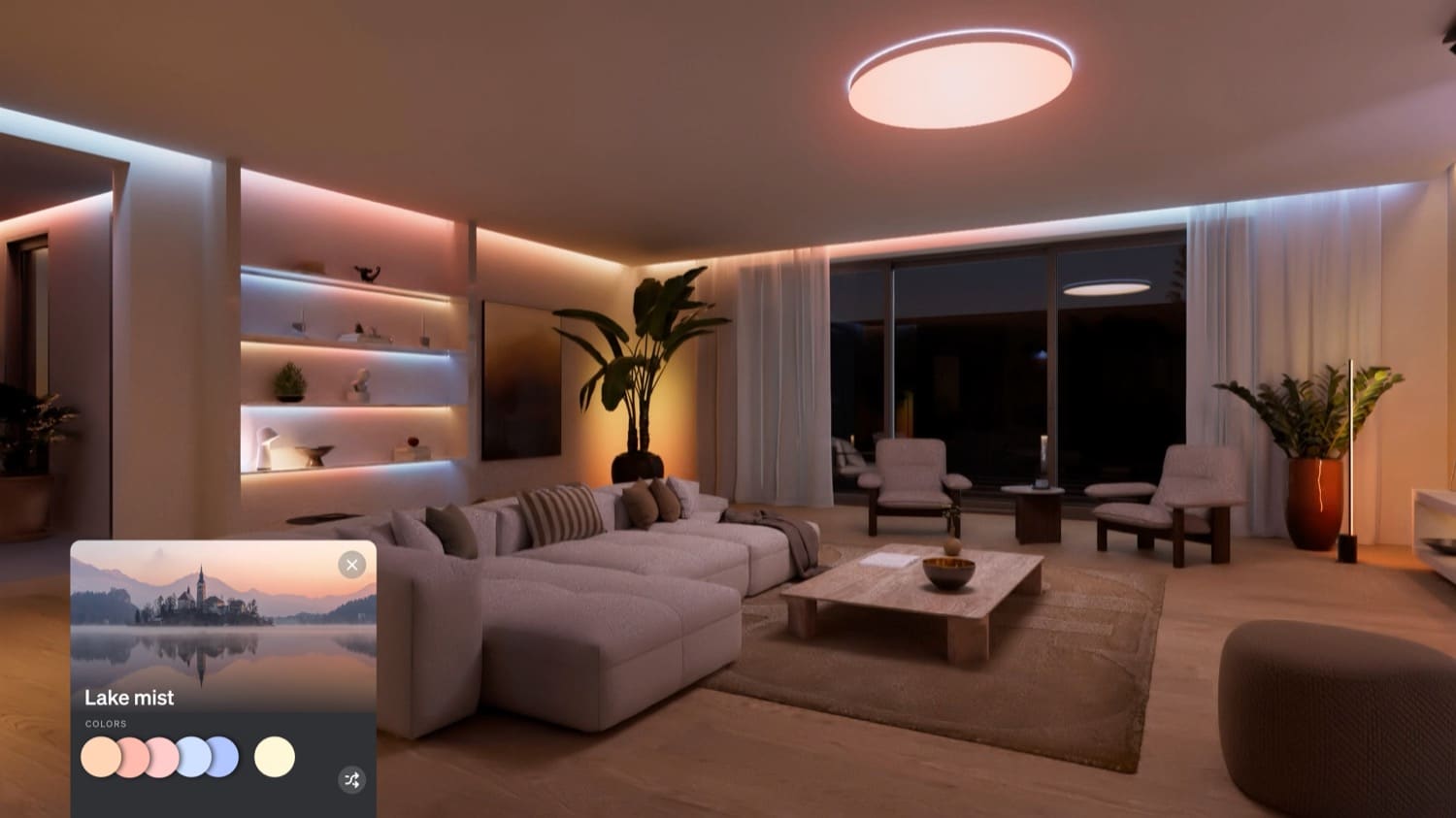
So, which image shows SpatialAware? I’ll tell you: it’s the top image. I’m not the only one who finds this a little perplexing.
I’ve already tried SpatialAware for you
Fortunately, I was able to see the new feature with my own eyes in Las Vegas. Thanks to the AR function, setup is really quick and easy. The customized scenes are actually very different from the previous scenes.
Why? For example, the Hue app now knows exactly which lamps you use for ceiling lighting. These are no longer mixed together in a colorful jumble, but are perfectly coordinated. The same applies, for example, to the gradient color transitions of corresponding products, where SpatialAware even takes the orientation into account.
And in the future, the technology could be used for other purposes. For example, for easy setup of a Hue Entertainment Zone—where previously you had to manually determine the position of the lights.
These are the other announcements from Philips Hue
In addition to the new SpatialAware, Philips Hue has announced further innovations. Apple Home Support will be expanded and the AI assistant will soon be available in additional languages. You can find out more in another article.


I welcome this with open arms, and I’m not perplexed in the least. If I select a scene, that is exactly what I want – a room that looks like a coordinated, well thought out assemblage of lights and colors.
Right now, if I have a room with more than three light sources (which is literally every room in my house) and select a scene, it looks like my 12-year-old selected random colors and put them in random fixtures. That is what the second image looks like to me.
If this does what it purports to do, I will be ecstatic.
This is brilliant! I love how Hue keeps adding value to their ecosystem like this, they never fail to impress me! I do wonder how this works with strip lighting since I can’t imagine the feature will know the orientation or shape of the strips…unless they give you the ability to manually configure them.
SpatialAware checks the orientation of all Gradient Products (including lightstrips) during the setup.
Great addition, looking forward to see it in real life.
But…. when will Hue deliver on the promised backup function? With all my 300 lights on 1 Hue Bridge Pro and all configured scenes, automations and other features….. I do like to have a backup in case things break!
Any news around the backup function?